
Nginx反向代理https,提供PhpMyAdmin

准备工作:主机1、双网卡:外–172.16.252.187  内–192.168.42.140

主机2:192.168.42. 145

主机3:172.16.251.112

主机4:192.168.42.141

在主机2上:

    安装httpd  yum  install -y  php-fpm php-mysql  php php-mbstring php-mcrypt

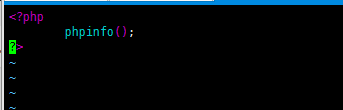
编辑网页文件:vim /var/www/html/index.php
    Nginx反向代理https,提供PhpMyAdminNginx反向代理https,提供PhpMyAdmin

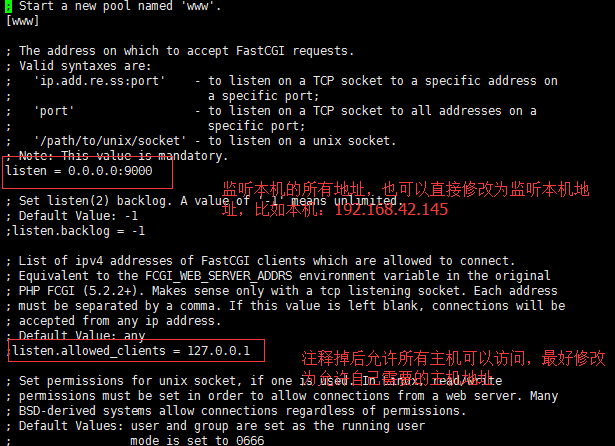
编辑php-fpm配置文件

    vim /etc/php-fpm.d/www/conf

Nginx反向代理https,提供PhpMyAdmin

Nginx反向代理https,提供PhpMyAdmin

Nginx反向代理https,提供PhpMyAdmin

手动创建:将目录的属主和属组修改和上边对应一致
开启fpm systemctl start php-fpm

ss -ntl 查看9000端口打开

签证:找一台主机 做CA主机 cd /etc/pki/CANginx反向代理https,提供PhpMyAdmin
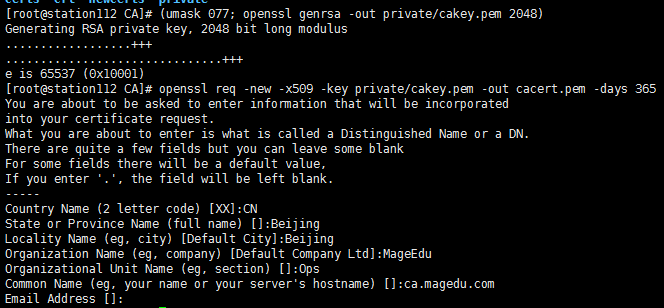
touch index.txt serial

echo 01 > serial

在web服务器上:

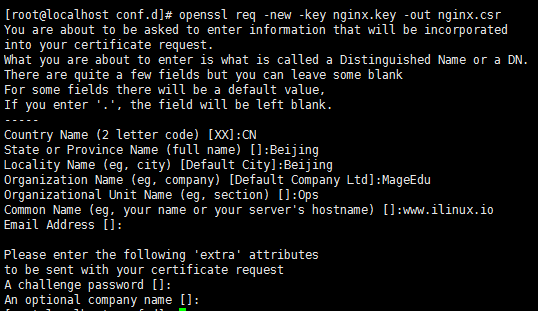
Nginx反向代理https,提供PhpMyAdmin

Nginx反向代理https,提供PhpMyAdmin

scp nginx.csr 172.16.251.112:/tmp/
在CA上:Nginx反向代理https,提供PhpMyAdmin
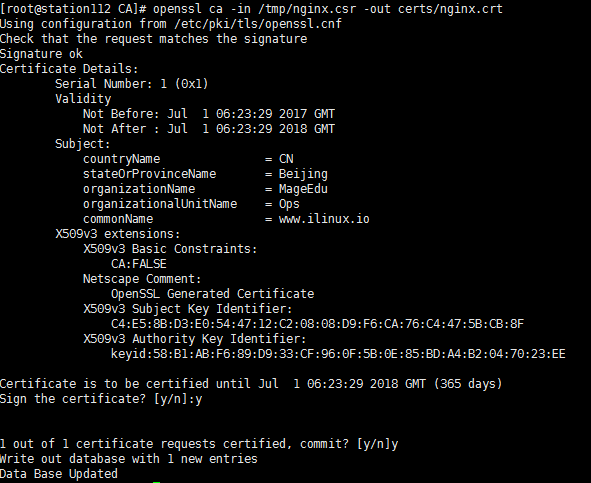
scp certs/nginx.crt 172.16.252.187:/etc/nginx/ssl/
在web主机上:

     将nginx.key nginx.crt 都放在 /etc/nginx/ssl/目录下

主机1即web服务器上:

        安装Nginx—-yum  install -y nginx

编辑配置文件:vim vim /etc/nginx/conf.d/ilinux.conf
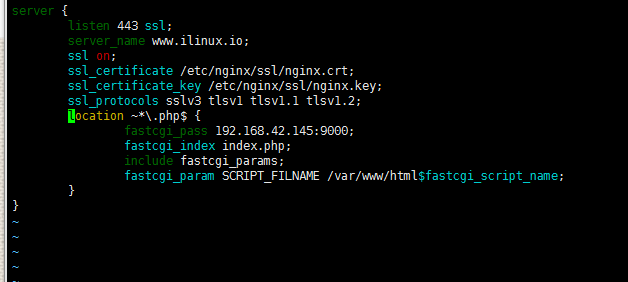
        Nginx反向代理https,提供PhpMyAdmin

在windows主机上测试

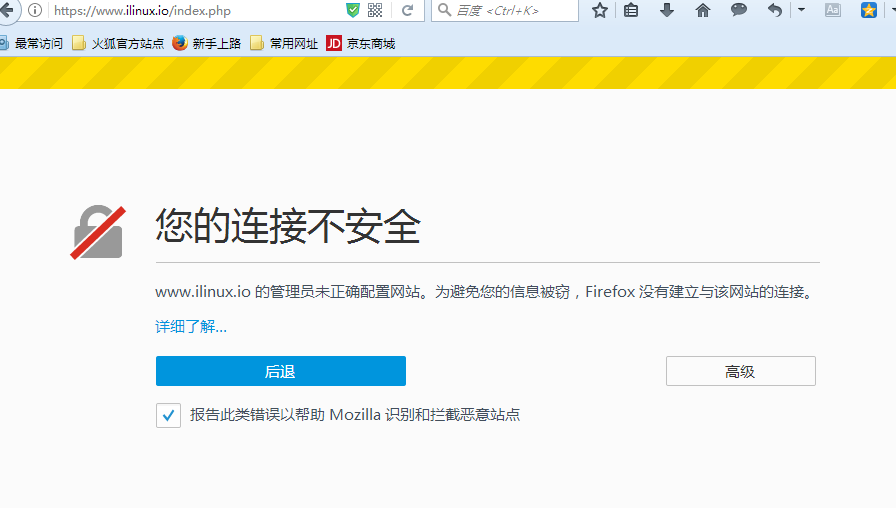
    将生成的证书导入浏览器之前访问:

    Nginx反向代理https,提供PhpMyAdmin

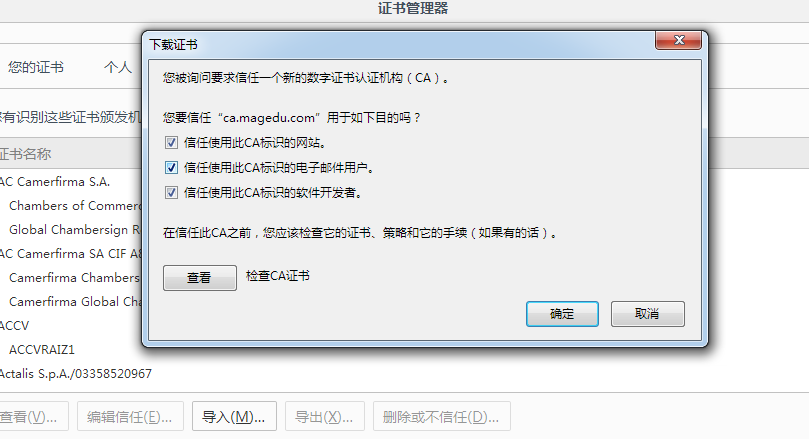
导入证书:Nginx反向代理https,提供PhpMyAdmin

在windows主机上修改hosts文件,解析主机名:

C:\Windows\System32\drivers\etc

用记事本打开hosts,加入

                    172.16.252.187   www.ilinux.io

访问:
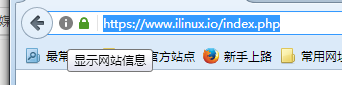
Nginx反向代理https,提供PhpMyAdmin

   在主机2上部署pma

cp config.sample.inc.php config.inc.php
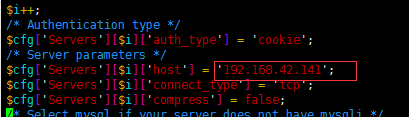
vim config.inc.php

Nginx反向代理https,提供PhpMyAdmin

mysql在其他主机上时:指向主机地址

Nginx反向代理https,提供PhpMyAdmin

在主机3上:

    yum install -y mariadb-server

vim /etc/my.cnf.d/server.cnf
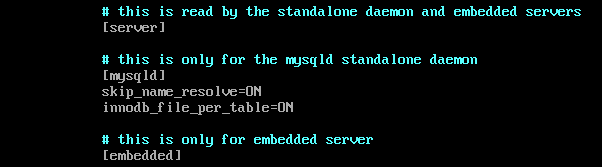
Nginx反向代理https,提供PhpMyAdmin

systemctl start nariadb    、  ss -ntl 查看打开3306端口

mysql_secure_installation 为数据库设置密码和其他选项
测试:
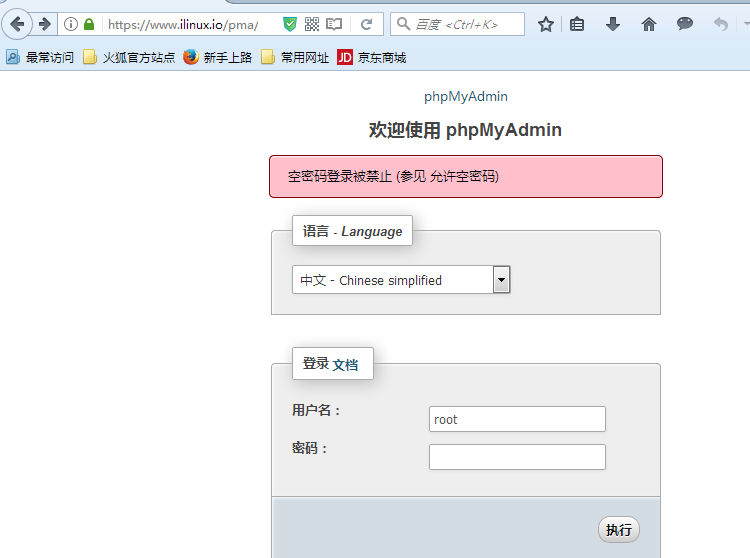
Nginx反向代理https,提供PhpMyAdmin


原创文章,作者:Immortals、zcy,如若转载,请注明出处:http://www.178linux.com/78940

(0)
Immortals、zcyImmortals、zcy
上一篇 2017-06-30 19:50
下一篇 2017-07-01 20:00

相关推荐

  • 0801课堂练习与作业

    1、将/etc/issue文件中的内容转换为大写后保存至/tmp/issue.out文件中      cat /etc/issue | tr 'a-z' 'A-Z' > /tmp/issue.out 2、将当前系统登录用户的信息转换为大写后保存至/tmp/who.out文…

    Linux干货 2016-08-02
  • 萝卜运维记–第一周

    part1— ①描述计算机的组成及功能 ▲计算机是什么? 计算机(ENIAC):简述—-接收用户的指令,经过中央处理器处理过后,产生对使用者有用的信息。具有存储记忆,处理复杂数据运算的计算机器 Ⅰ 计算机组成及功能 ☆硬件部分: 1.中央处理器CPU(Central Processing Unit)↓↓↓↓:  &n…

    Linux干货 2016-12-06
  • LVM 逻辑卷管理

    一、概述: LVM: logical Volumn Manager  LVM是建立在硬盘和分区之上的一个逻辑层。可以将多个物理分区整合起来,无需停机,可以对文件系统的大小进行调整。同时,还提供快照功能 二、概念及实现过程: PE :每一个物理卷PV被划分为称为PE(Physical Extents)的基本单元,具有唯一编号的PE是可以被LVM寻址的…

    Linux干货 2015-10-05
  • 如何在微软云上搭建mysql主从

    大家好: 今天我分享下在生产环境的微软云服务器上如何搭建mysql主从: 环境如下图: 我把cnux06-testing设为Mysql主服务器,暂时没需求的cnux04-web1db2设为Mysql从服务器 1–首先要在master上开启binlog日志功能并使主从库中的 server-id保持不同 操作步骤如下: A: 先查看mysql的主目录…

    Linux干货 2017-02-14
  • keepalived高可用双主lvs-dr模型集群

    环境 centos6.8 在keepalived服务器上安装keepalived RS服务器上安装nginx ,安装过程省略 为了便于实验,四台机器将关闭iptables和selinux 配置如下: K1: #修改keepalived配置文件 vim /etc/keepalived/keepalived.conf ! Configuration File f…

    2017-05-13
  • 第8天:脚本基础,btrf,raid,

    http://note.youdao.com/yws/public/redirect/share?id=61b38adef24ced4dc646a5ef8e68df18&type=false

    Linux干货 2016-08-16